


PCI-E Card Knowledge
- Info about Network Interface Card Teaming
- How to Setup a Server with Multiple Network Interface Adapters?
- How to Reconnect an Internet Network Adapter for an Acer Aspire?
- 9 Things to Do When Your Internal Network Card Stops Working
- Ethernet Standards NIC for Home Networking
- What Is a Network Interface Adapter?
- How to Configure a Network Interface Card in Linux?
- How should Configure Your NIC for ISA and TMG?
- Recommended Network Card Configuration for Forefront UAG Servers
SOPTO Special Topic
Certificate
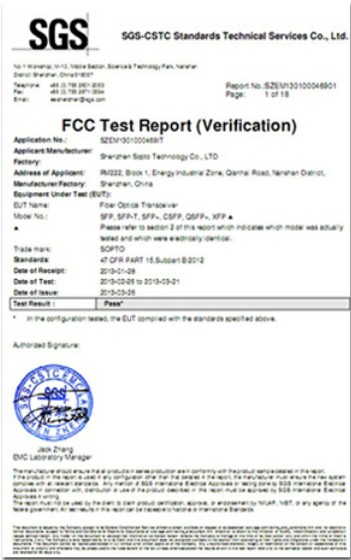
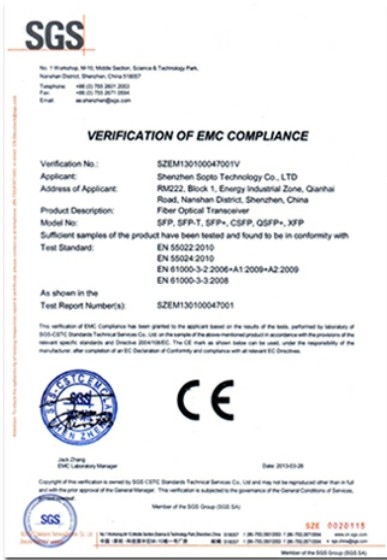
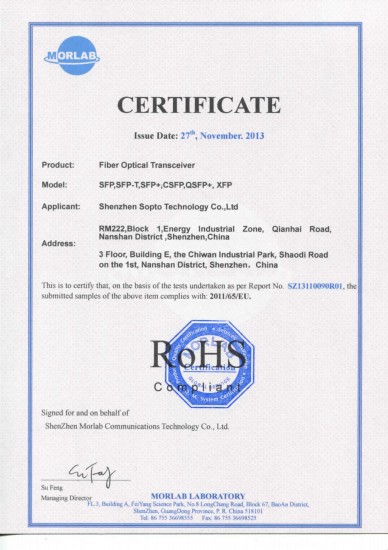
Guarantee
Except products belongs to Bargain Shop section, all products are warranted by SOPTO only to purchasers for resale or for use in business or original equipment manufacturer, against defects in workmanship or materials under normal use (consumables, normal tear and wear excluded) for one year after date of purchase from SOPTO, unless otherwise stated...
Return Policies
Applications
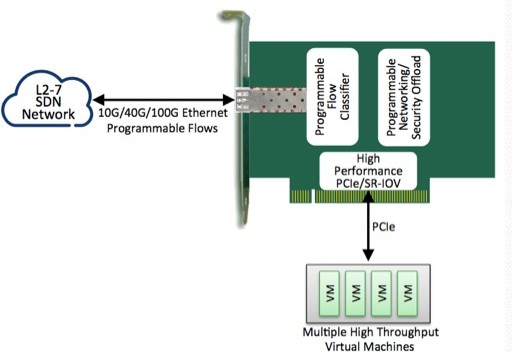
PCI-E NIC Cards provide redundant connectivity to ensure an uninterrupted network connection.
PCI-E NIC Cards are ideal for VM environments with multiple operating systems, requiring shared or dedicated NICs.
They are specially designed for desktop PC clients, servers, and workstations with few PCI Express slots available.
SNS Page


SOPTO Products
- Fiber Optic Transceiver Module
- High Speed Cable
- Fiber Optical Cable
- Fiber Optical Patch Cords
- Splitter CWDM DWDM
- PON Solution
- FTTH Box ODF Closure
- PCI-E Network Card
- Network Cables
- Fiber Optical Adapter
- Fiber Optical Attenuator
- Fiber Media Converter
- PDH Multiplexers
- Protocol Converter
- Digital Video Multiplexer
- Fiber Optical Tools
- Compatible
Related Products
Performance Feature
Recommended
- Closing the server case
Make sure that all of the internal cables are arranged inside the case so they will not be pinched when you close the case.
- Opening the server case
Because the components inside your server are extremely sensitive to static electricity, make sure that you follow the instructions at the beginning of this step to avoid static electricity damage.
- Preventing static electricity discharge
The components inside your server are extremely sensitive to static electricity, Warning also known as electrostatic discharge (ESD).
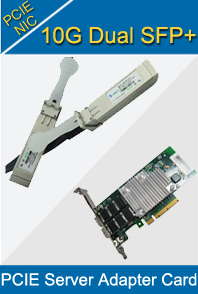
- 10Gbps SFP+ PCI Express Server Adapter Features Introduction
Sopto 10Gbps SFP+ PCI Express Server Adapter Single-Port 10 Gigabit Ethernet server adapter is an optimal solution for Ethernet applications by providing strictly low-power budgets and small form factor.
- 32-Bit PCI Gigabit Ethernet NIC Card without BootROM socket
Gigabit Ethernet is the perfect solution for one of the major requirements of today's Local Area Networks: improving communication speed.
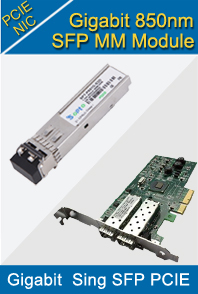
- 1000Base-SX/LX SFP PCI Express Fiber Adapter
Sopto 1000Base-X Fiber PCI-Express Ethernet adapter is ideal for high end servers to extend long distance network reliably and flexibly with up to 2000Mbps full-duplex bandwidth capacity.
- It is not a Good Plan to Follow-up PCIe 4.0
The PCI-SIG (PCI Special Interest Group) announced PCIe 4.0 will double PCIe 3.0 performance and--sit down for the next part--it will arrive in 2015 or 2016.
- Gigabit PCI Express Network Card Performance
The Gigabit PCI Express Network Card is a high-performance network adapter. It supports the PCI Express bus architecture, which provides faster throughput than the current 32- and 64-bit PCI bus architectures.
- Impact of PCI-E Speed on Gaming Performance
We see this most often with the mainstream series of CPUs (currently Haswell) and chipsets (Z87, H87, etc.)
- 10/100/1000Base-T PCI Express Gigabit Ethernet Adapter
Sopto 10/100/1000Base-T PCI Express Gigabit Ethernet Adapter is for PCI Express bus compliant computers, supporting auto-negotiation of 10/100/1000Mbps Ethernet connection with up to 2000Mbps full-duplex bandwidth capacity.
- How to Remove PCI Cards
When you want to upgrade your computer, one way to go about it is to replace some of component cards that are inserted into your motherboard. These PCI, PCIe and AGP cards normally control video, sound or network connections for the computer, and when the
- PCI Express History and revisions
While in early development, PCIe was initially referred to as HSI (for High Speed Interconnect), and underwent a name change to 3GIO (for 3rd Generation I/O) before finally settling on its PCI-SIG name PCI Express.
- Structure of PCI Express Bus
Conceptually, the PCIe bus is like a high-speed serial replacement of the older PCI/PCI-X bus, an interconnect bus using shared address/data lines.
- Applications of PCI Express
PCI Express operates in consumer, server, and industrial applications, as a motherboard-level interconnect (to link motherboard-mounted peripherals), a passive backplane interconnect and as an expansion card interface for add-in boards.
- The future of the PCIe interconnect bus
It is hard to believe there was once a time when there was not PCI Express or any of its Peripheral Component Interconnect progenitors.
- What is PCI
PCI is an abbreviation for Peripheral Component Interconnect, which is a term used to describe a common connection interface for attaching computer peripherals to a PC's motherboard, or main circuit board.
- How to Install a PCI Express NIC Card
Installing a PCI-E card is much like installing other cards, but it has its own slot and often requires an additional power connection.
- Frontside Bus, Backside Bus and PCI Cards
The frontside bus is a physical connection that actually connects the processor to most of the other components in the computer, including main memory (RAM), hard drives and the PCI slots. These days, the frontside bus usually operates at 400-MHz, with ne
- Remove and reinstall a PCI expansion card
How to remove and reinstall a PCI expansion card? There is a case for your.
- How PCIe 4.0 Stacks Up
Given the future enhancements to the PCIe specification, the industry now has more insight into how the interconnect landscape will evolve over the next 5 to 10 years. With a handful of interconnect technologies actively competing in the market, PCIe supp