

- Fiber Optic Transceiver Module
- High Speed Cable
- Fiber Optical Cable
- Fiber Optical Patch Cords
- Splitter CWDM DWDM
- PON Solution
- FTTH Box ODF Closure
- PCI-E Network Card
- Network Cables
- Fiber Optical Adapter
- Fiber Optical Attenuator
- Fiber Media Converter
- PDH Multiplexers
- Protocol Converter
- Digital Video Multiplexer
- Fiber Optical Tools
- Compatible

- Can SFP+120KM be available? ...
- Why the price has so huge di...
- Can XFP transceiver modules ...
- Must optical fiber jumper be...
- Is there a module which can ...
- Can different brands SFP tra...
- How long will you change you...
- The difference between DDM S...
- Comparison of EPON and GPON
- Should we use 3rd party’s ...
- How to make differences betw...
- What is Drop Cable?
- Comparison of CWDM and DWDM ...
- GEPON Technology
- Differences of OM1, OM2, OM3...
- What is the armored fiber op...
- What is DAC cable?
- How to Choose A Right Fusion...
- Why Using a Compatible SFP O...
- Optical fiber transmission l...

FTTH Guide
First Step:
Preparation of Installation
1、Material:fast connector、fiber、pigtail
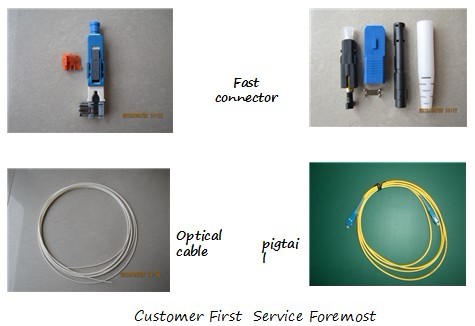
First Step:
Preparation of Installation
1、Material: FTTH Box
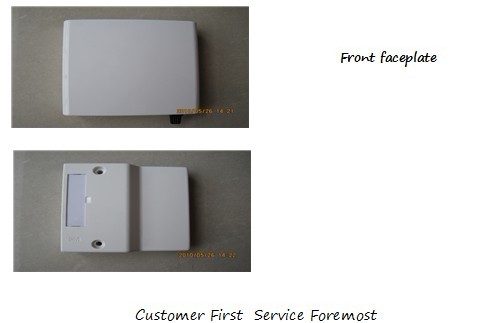
First Step:
Preparation of Installation
Tool Kits
2、Installation Tools:
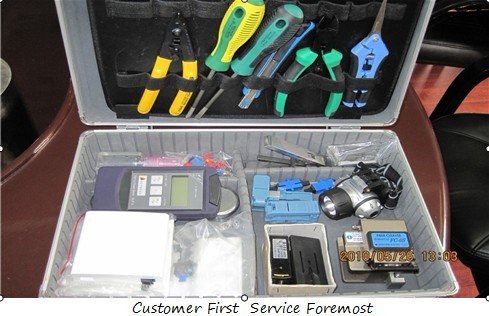
First Step:
Preparation of Installation
2. Installation Tools: Tool Kits, Fiber Cleaver, Alcohol, Dustproof Paper
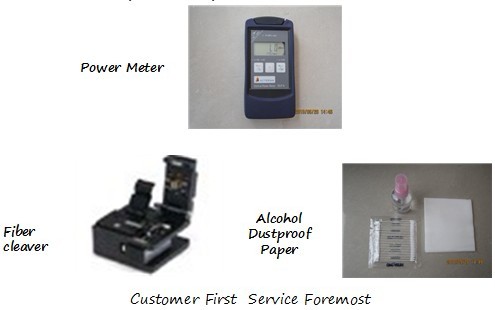
Installation Tool: Measuring scale, Mechanical Splicer, Headlight, General Tools
.jpg)
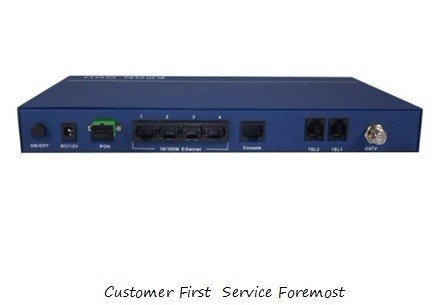
ONU Equipment
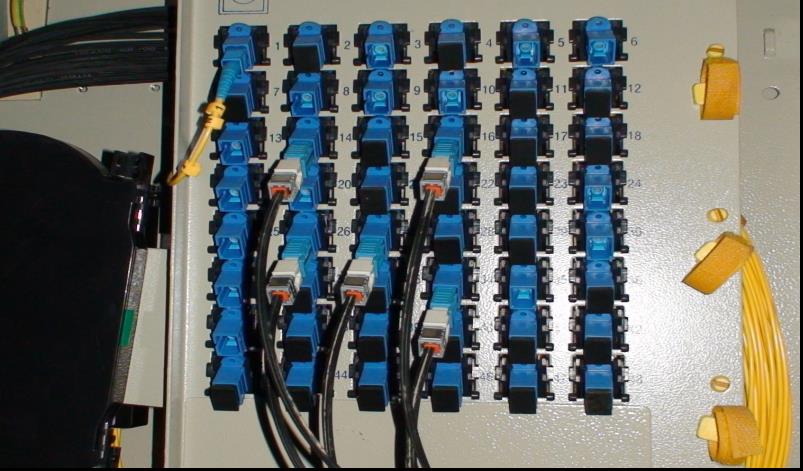
3. Matching the no. of splitter interface within an interconnect cabinet
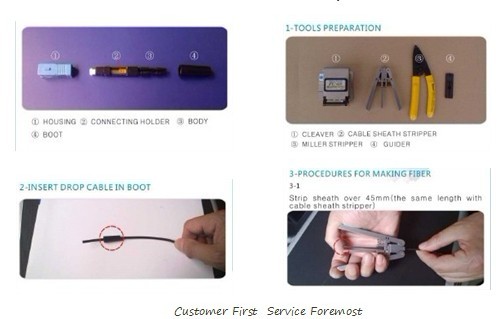
4. Fast Connector Assemble Steps:
4. Fast Connector Assemble Steps:
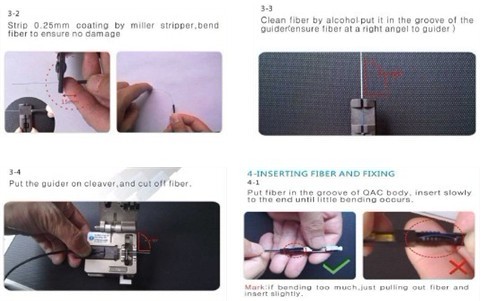
4. Fast Connector Assemble Steps:
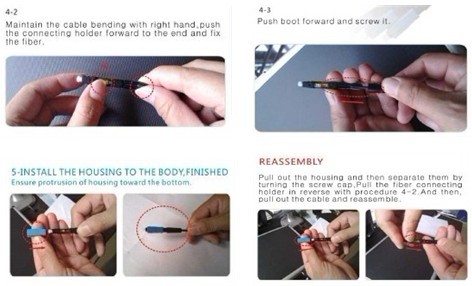
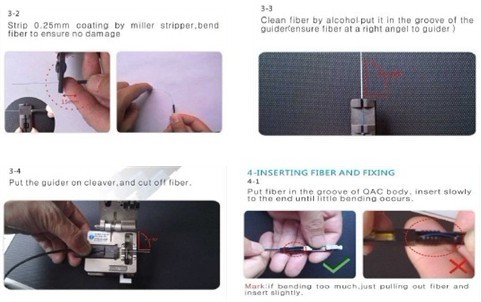
4. Fast Connector Assemble Steps:
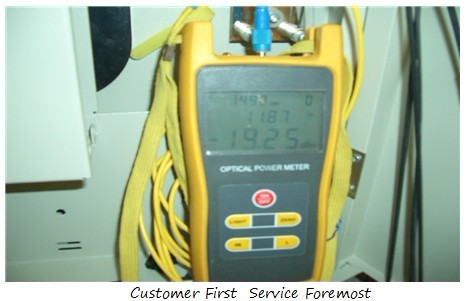
5. Testing at the interface within splitter distribution box
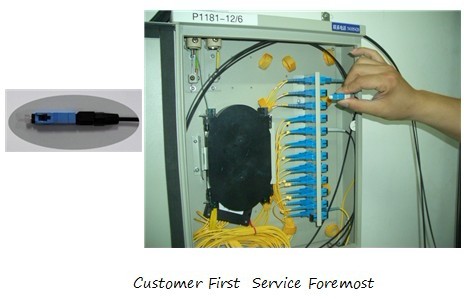
6. After making fast connectors, plug them in according to the no. in the distribution box
7. Find out Optical cable and install FTTH Box
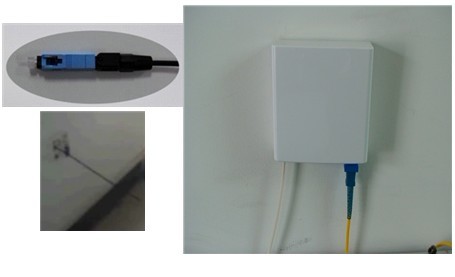
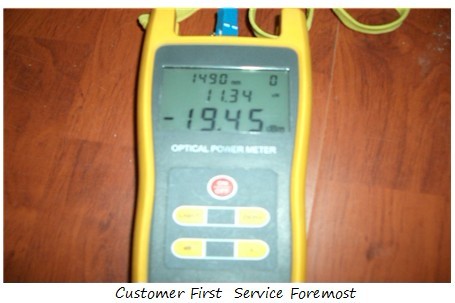
8. Testing with power meter and the best with the least attenuation. It is normally <-25dbm
9. Pigtail connected with ONU devices
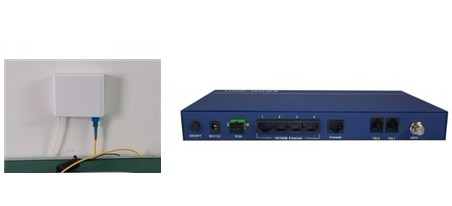
Devices Configuration
……